Key takeaways
- Bilingual subtitles show your target and native language on screen at the same time
- YouTube natively displays only one subtitle track at a time, so you need an extension
- Funlingo adds free bilingual subtitles to YouTube, Netflix, and Prime Video
- It works with both manually uploaded and auto-generated captions across 100+ languages
- News, vlogs, educational channels, and interviews are the best content for learning
What Are Bilingual Subtitles on YouTube?
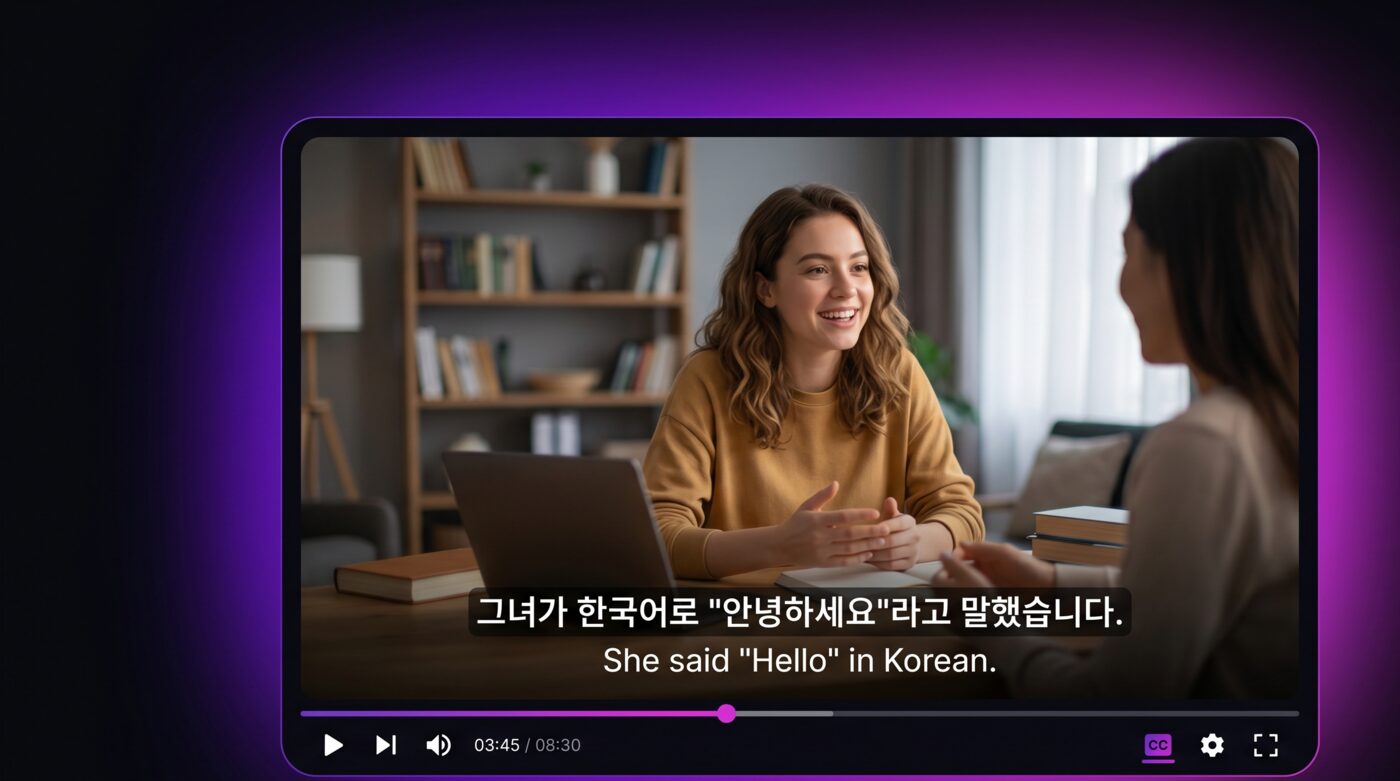
Bilingual subtitles display two languages on screen at the same time while you watch a YouTube video. Your target language appears alongside your native language, so you can follow foreign-language content without guessing or pausing to translate.
YouTube has the largest library of free video content in the world, covering virtually every language. News broadcasts, vlogs, educational channels, interviews, music videos, and documentaries are all available. Bilingual subtitles unlock all of this content as language learning material.
The concept is simple: instead of choosing between reading subtitles in the language you are learning or in your native language, you see both at once. This lets your brain connect the foreign words to their meanings in real time while you listen to natural speech.
Why YouTube Does Not Offer Bilingual Subtitles Natively
Despite having auto-generated captions in dozens of languages and a translation feature, YouTube only lets you display one subtitle track at a time. You can turn on English captions or Spanish captions, but not both simultaneously.
YouTube's auto-translate feature generates a machine translation of existing captions, but it replaces the original text instead of showing both. This means you lose access to the original language subtitles when you enable translation.
For language learners, this is a major limitation. Seeing only the translation does not help you learn the original language. And seeing only the original language can be overwhelming if you do not understand most of the words yet. Bilingual subtitles solve this gap by showing both at the same time.
To get bilingual subtitles on YouTube, you need a browser extension that adds a second subtitle layer on top of the YouTube player. Several tools offer this, and we will walk through the best options below.
How to Get YouTube Bilingual Subtitles with Funlingo
Funlingo is a free Chrome extension that adds bilingual subtitles to YouTube (as well as Netflix and Prime Video). Here is the step-by-step setup.
- 1
Install Funlingo
Add the free extension from the Chrome Web Store and confirm the installation.
- 2
Open any YouTube video
Find a video with captions, indicated by the CC button in the player.
- 3
Enable bilingual subtitles
Click the Funlingo icon, pick your target and native languages, then toggle it on.
- 4
Customize your experience
Adjust font size, position, and opacity, and click words to save them.
Install Funlingo from the Chrome Web Store
Visit the Funlingo extension page and click "Add to Chrome." Confirm the installation when prompted. The extension is entirely free with no hidden costs or premium tiers.
Open Any YouTube Video
Navigate to youtube.com and find a video in your target language, or any video that has captions available. Make sure the video has subtitles by checking for the "CC" button in the player controls. Auto-generated captions work just as well as manually uploaded ones.
Enable Bilingual Subtitles
Click the Funlingo icon in the YouTube player or in your browser toolbar. Select your target language and your native language from the dropdown menus. Toggle on bilingual subtitles, and both languages will appear on the video immediately.
Customize Your Experience
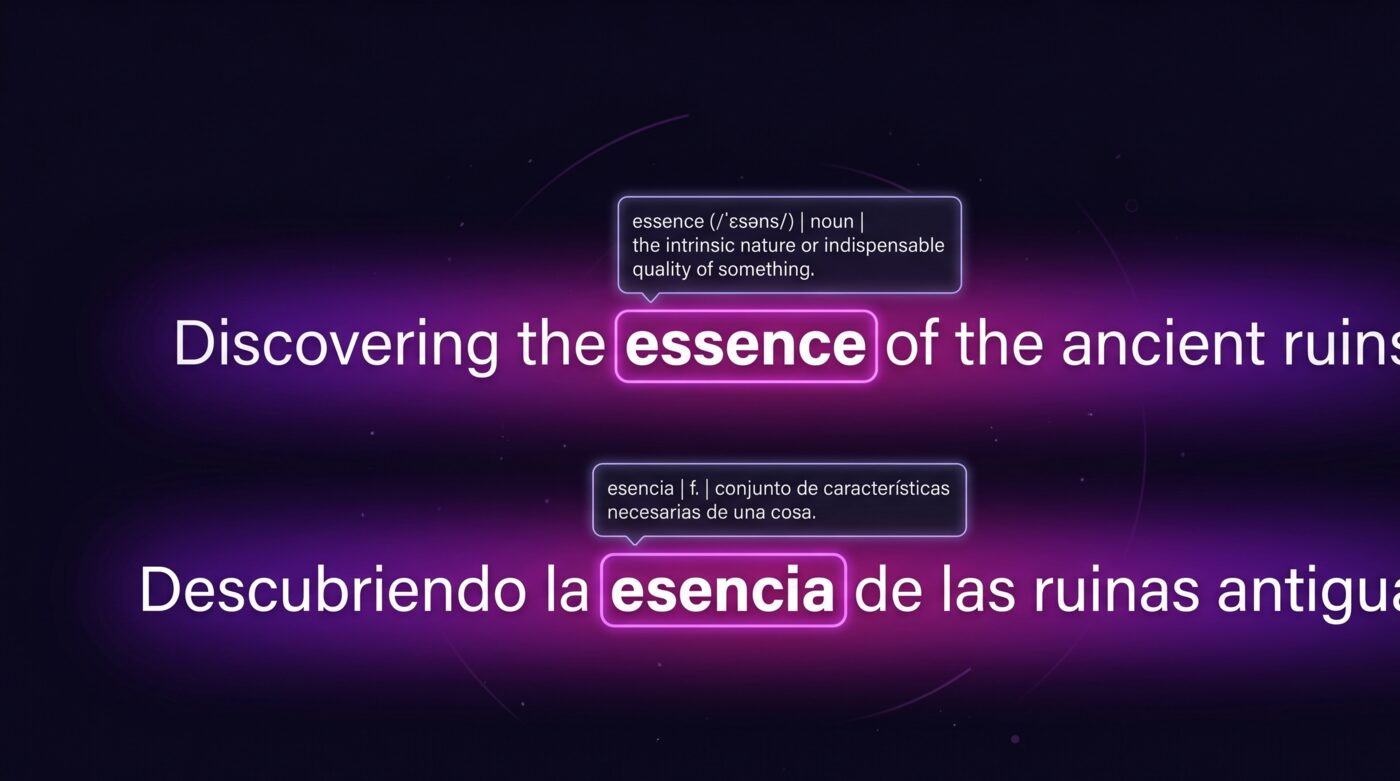
Adjust font size, position, and opacity through the Funlingo settings panel. You can choose which language appears on top, change the text size for readability, and save words to your vocabulary list by clicking on them in the subtitles.
Best Types of YouTube Content for Bilingual Learning
Not all YouTube content is equally useful for language learning. Here are the best categories to watch with bilingual subtitles, ranked by effectiveness.
News Broadcasts
News anchors speak clearly and at a measured pace. The vocabulary is formal but practical. Channels like DW News (German), France 24 (French), and NHK World (Japanese) are excellent starting points.
Vlogs and Daily Life
Vlogs expose you to casual, everyday language that textbooks rarely teach. You pick up slang, colloquialisms, and natural sentence patterns that native speakers actually use in daily conversation.
Educational Channels
Channels like Kurzgesagt, TED-Ed, or local educational creators explain topics with clear visuals and precise language. The structured explanations make it easier to follow along even in a foreign language.
Interviews and Podcasts
Long-form interviews give you extended exposure to natural conversation. Two people talking back and forth helps you learn how questions and responses work in your target language.
For Korean learners specifically, we have a dedicated guide on the best YouTube channels for learning Korean.
Tips for Effective Learning with Bilingual Subtitles
Bilingual subtitles are a tool, and like any tool, how you use it matters. These strategies will help you learn faster.
Read the target language first. Make a habit of reading the foreign-language subtitle before looking at the translation. This trains your brain to process the new language actively instead of relying on your native language.
Watch content you genuinely enjoy. If you find the content boring, you will stop watching. Pick topics that interest you. Language learning through YouTube should feel like entertainment, not homework.
Save new words as you go. Use Funlingo's vocabulary builder to save unfamiliar words by clicking them in the subtitles. Review your saved words later to reinforce what you learned during the video.
Replay difficult sections. If a sentence is hard to understand, replay it a few times. Pay attention to how the spoken words match the subtitle text. This improves both listening comprehension and reading speed.
Gradually reduce reliance on translations. As your skills improve, try watching with only the target language subtitle for stretches of time. Switch back to bilingual mode when you hit a confusing section. This progression builds real fluency.
Be consistent. Watching 15 to 20 minutes of YouTube content daily with bilingual subtitles is more effective than binge-watching for three hours once a week. Consistency builds long-term retention.
Comparison of Tools for YouTube Bilingual Subtitles
Several browser extensions offer bilingual subtitles on YouTube. Here is how they compare.
Funlingo
Free bilingual subtitles on YouTube, Netflix, and Prime Video. Includes a built-in vocabulary builder and word-saving feature. No premium tier, no feature locks, no ads. The most complete free option available.
Language Reactor
Popular extension with bilingual subtitles and a pop-up dictionary for YouTube and Netflix. Free version covers basic features. Advanced vocabulary tools and export options require a Pro subscription at about $6 per month.
Trancy
AI-powered tool with bilingual subtitles, sentence analysis, and grammar breakdowns for YouTube. The most feature-rich option, but also the most expensive at around $8 per month for full access.
Immersive Translate
Primarily a web page translation tool that also supports YouTube bilingual subtitles. Works well for reading-based learning but lacks the vocabulary building features of dedicated language learning extensions.
For a deeper comparison of all these tools, check out our guide on the best dual subtitle extensions for language learning.
Frequently Asked Questions
No. YouTube only displays one subtitle track at a time. Its auto-translate feature replaces the original subtitles with a translation instead of showing both. You need a browser extension like Funlingo to display two languages simultaneously.
Funlingo supports every language that YouTube offers subtitles for. This includes both manually uploaded captions and YouTube's auto-generated subtitles, covering over 100 languages in total.
Yes. Funlingo lets you adjust font size, position, and opacity for both subtitle tracks. You can choose which language appears on top and customize the look to match your preferences.
Yes. Funlingo works with both manually uploaded subtitles and YouTube's auto-generated captions. Auto-generated captions may have occasional errors, but they are accurate enough for effective language learning on most videos.
Bilingual subtitle extensions work only in the Chrome desktop browser. The YouTube mobile app does not support browser extensions. To use bilingual subtitles, watch YouTube through Chrome on your computer.